Saturday, October 25, 2014

Island Scanning - Can't see the wood for the trees

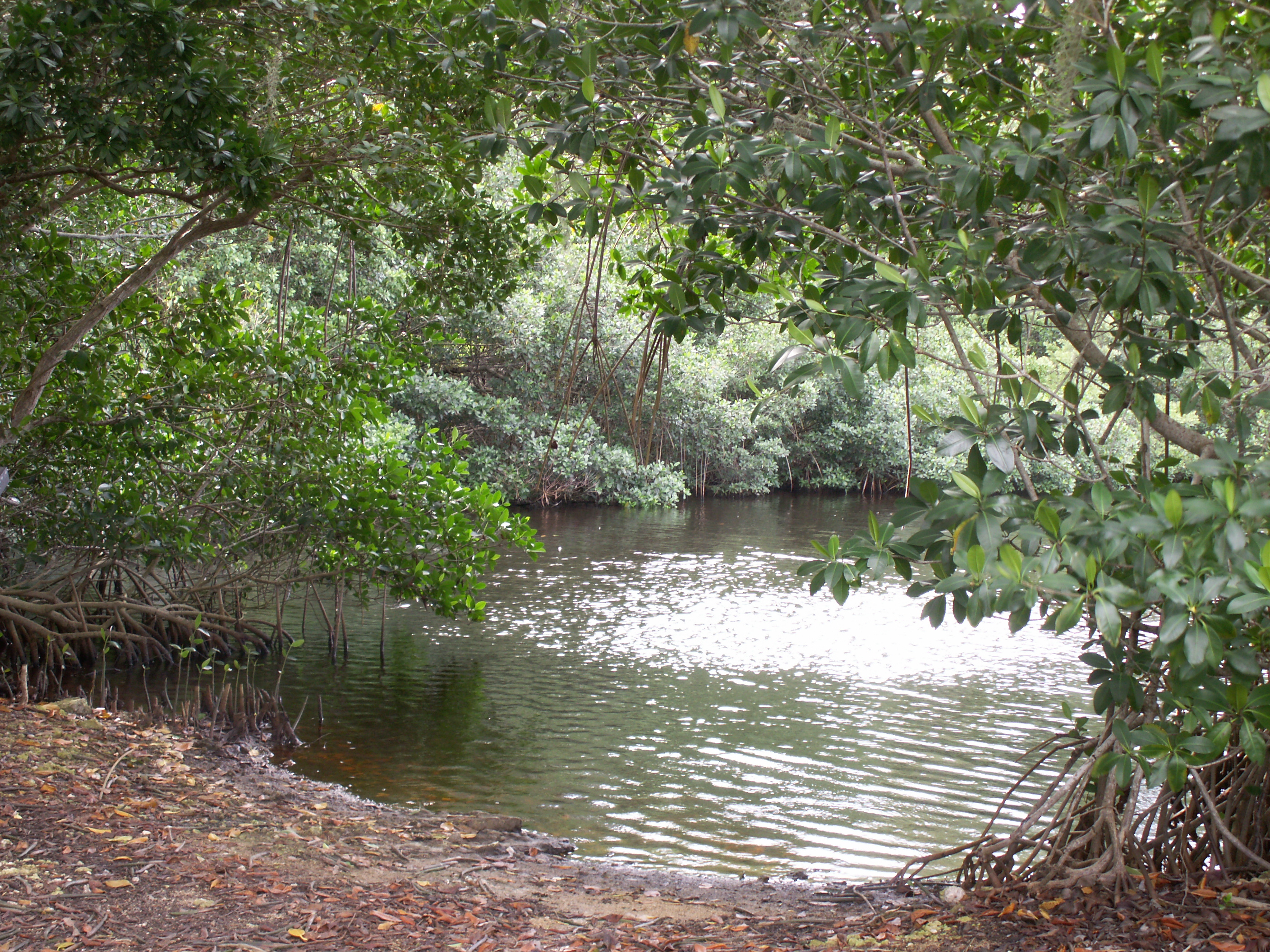
Picture Example courtesy of Wikipedia page on Florida Mangroves

This weekend we had the privilege to scan a residential property in Captiva Island, FL. The Beaches and scenery where straight out of a tourist brochure and the scan conditions were hot, sunny with a tropical island breeze.

Once arrived at the Project site we noticed right away that the entire property around the house was covered by palm trees, shrubs and bushes and the parcel was surrounded by tall dense Florida mangroves.

The Scan Settings were adjusting accordingly and it was a beautiful and peaceful place to scan.

Back at the Office registering the date we saw the sheer volume of busy busy data. Each leaf waving in the wind made the Point Cloud look like a snip out of The Matrix movie. This made for higher processing power and slower rotation times.

Tip for situations like this is to use the clipping box to crop the data to make it as manageable as possible.

Have you ever Scanned areas with dense and busy foliage. How did you deal with the data?

Scan On,
Sarah


Friday, October 24, 2014

Check yourself before you Scan yourself!


Personally I am a strong advocate of not being in my Scans. However sometimes you can not avoid it. So what do you do in the Situation where there is nowhere to hide. 

You can do the following:
  • Walk around the Scanner while scanning, by Staying on either the Information Screen or Battery Compartment side. (DO NOT make any eye contact with the Scanner)
  • Hide underneath the Scanner / Tripod
  • Hide Behind Walls or Equipment
  • Delete you Image and Point cloud Data in Post Processing (a lot of time and afford goes into this)
  • Strike a Pose - Like I did in the picture above

Reasons you should try to avoid being in yours Scans:
  • Possible Block Targets
  • Possibly Block Important Equipment or Critical measurements
  • Busy Data


Honestly, it all depends on mainly the Clients preferences and secondly your personal preferences. 

Has this ever happened to you? If so, Share your pictures and tell your story below.

Scan On,
Sarah 

Monday, October 20, 2014

Scanning Upside Down

In case you did not know but you CAN use any FARO Focus or X Series Scanner to scan upside down.


Reasons why to Scan Upside Down:

  1. Get a Close Scan to the Ground
  2. Get a Scan from a Very Low Vantage Point
  3. Scan Underneath Objects


Be Aware:

  1. Altimeter Settings might be affected (you can always change that in Post Processing)
  2. Tripod to Scanner mourning is Save and Secure
  3. The Scanner should have at least 1/8"-1/4" Clearance to the ground so it can spin freely
Tell us about your Up Side Down scanning experience in the Comments below.

Scan On,
Sarah 


Friday, October 17, 2014

FARO 3D Documentation Conference 2014

FARO 3D Documentation Conference

Opening Strong
Key notes by FARO's CEO Jay Freeland and Senior Product Manager Oliver Buerkler
 The Seminars


Who Doen't love Robots
The Automated selfdriving Scanner


 And it carries your Tribod, Bags and Everything your scanning heart desires.

Networking
The Swan and Dolphin was a great location for this Conference. Not only because it was convenient for the FARO Team as headquarters is located just outside of Orlando in Lake Mary, FL. 

Conclusion in 3 Simple Facts

  1. The 2014 was FARO's year of the 330 Scanner. 
  2. Also Scene Software had some major improvements. 
  3. Keynote speakers where very informative and illustrated some amazing used of using FARO Scanners in Commercials, North Pole and to Preserve History.


Also check out the Interview that SPAR 3D had conducted with FARO's CEO Jay Freeland.

Scan On,
Sarah

Friday, October 10, 2014

DimTec 3D will be at FARO 3D Documentation Conference 2014 in Orlando, FL


We are Excited to announce our presence at the FARO Conference 2014. Please make sure to contact us and schedule meetings at the conference. We are looking forward to meeting all of you in person and thank you to the amazing FARO Team in advanced for setting up this Conference.

Scan On,
Sarah

Monday, July 28, 2014

New LOGO!

We have updated our Logo! Check it out


Tell us what you think in a commend below.

Scan On,
Sarah 

Friday, July 4, 2014

Independence Day!

From all of us at DimTec 3D we with you a save and enjoyable Independence Day.

Scan On,
Sarah

Wednesday, June 25, 2014

Review on Si Horton's video on FARO Scene 5.3 Features

Video by Si Horton on YouTube

Si Horton is a Scene genius and his popular YouTube videos on using Scene Software and getting more and more reach. 

In the video above he goes into great detail about using the newest Scene 5.3 Features of Cloud to Cloud Registration to Survey Control. The video entails easy step by step instructions do do so and is informative to any Scene user. 

At 12.40 min into the Video Si goes into some Navigational tips on using a 3D Connexion mouse for easy maneuvering inside Scene software. I personally use the same 3D mouse for my Scene and AutoCAD software. I am glad Si talked about this as I can attest to how the mouse is easy to use and makes you work faster and more efficient. I have been working in 3D Software for over a decade now and once I was introduced to the 3D Connexion mouse my ease of panning, orbiting and maneuvering around 3D environments was easier then ever before. 


Screen shot Image taken from Video mentioned above 

Have you used this method before, what are your experience?

Scan On,
Sarah

Wednesday, May 28, 2014

Website if Live and Open for Business

We are happy to announce that the www.DimTec3D.com is now open for Business!


Make sure to check us out and let us know your feedback.

Scan On,
Sarah

Friday, May 16, 2014

DimTec 3D is now in Business

We welcome to our Blog,

Here at DimTec 3D we offer 3D Laser Scanning Services and FARO Focus 3D Equipment Rental. In the Following Blog we will keep you posted on Company information, Whereabouts, Current Projects and most importantly Tips and Tricks in the Fields of Laser Scanning, Registrations and more. 

Today marks the official day we are in business, and we Thank You for the warm welcome. Lets Scan some projects together and Spread the word of 3D Laser Scanning.

Scan On,
Sarah